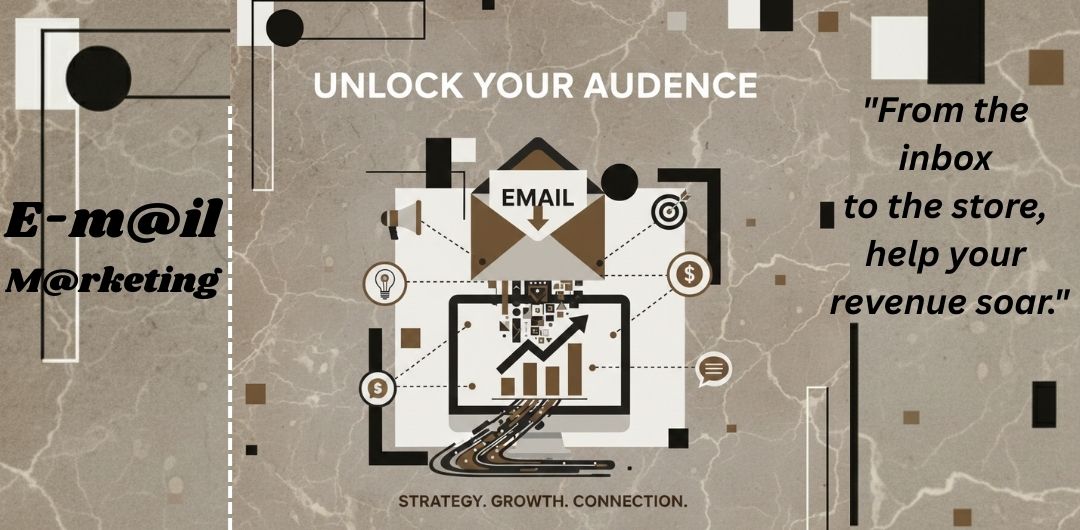




E-mail marketing is a digital marketing method where businesses send messages to people through e-mail to build relationships and promote their products or services. These messages can include updates, offers, tips, news, or reminders. It helps businesses stay connected with their audience in a direct and personal way.
One of the biggest benefits of E-mail marketing is that it reaches people who are already interested in a brand. Since users sign up voluntarily, the chances of engagement are higher. E-mails can be customized with names, preferences, and past behaviour, making communication more relevant and effective.
E-mail marketing is also cost-effective and easy to track. Businesses can measure how many people open e-mails, click links, or take action. When done properly, it builds trust, increases brand awareness, and supports long-term customer loyalty.
1. Personal Mail
Personal mail is used for individual, informal communication between people who know each other. These emails usually reflect emotions, thoughts, and everyday conversations. The tone is friendly and relaxed, and there are no strict rules for formatting or language. People use personal mail to stay connected with friends, family members, or close contacts.
Examples include sharing personal updates, wishing someone on their birthday, inviting friends to events, or simply checking in. Personal emails focus more on human connection rather than structure or professionalism.
2. Promotional Mail
Promotional mail is designed to attract attention and encourage action. Businesses use this type of email to promote products, services, discounts, offers, or upcoming events. The main goal is marketing and brand visibility.
These emails often include catchy subject lines, engaging content, and a clear call-to-action like “Buy Now,” “Sign Up,” or “Learn More.” Promotional emails are usually sent to a group of people rather than a single person and are carefully planned to create interest and boost sales.
3. Transactional Mail
Transactional mail is automatically triggered by a user’s action. These emails are not sent for promotion but to deliver important information related to a specific activity. They are highly relevant and expected by the receiver.
Examples include order confirmation emails, payment receipts, password reset links, shipping updates, and account notifications. Transactional emails focus on clarity and accuracy. Their purpose is to inform, confirm, or guide users, making them an essential part of customer experience.
4. Feedback Mail
A feedback mail is sent to customers to understand their experience with a product, service, or brand. Its main goal is to collect honest opinions after an action such as a purchase, service completion, or support interaction. This type of mail usually asks simple questions like how satisfied the customer was or what can be improved. Feedback mails help businesses identify strengths and weaknesses, improve customer service, and build better relationships. When customers feel their opinions matter, they trust the brand more and are more likely to stay connected.
5. Cart Mail (Abandoned Cart Mail)
A cart mail is sent when a customer adds products to their online shopping cart but leaves the website without completing the purchase. This email acts as a gentle reminder about the items left behind. It often includes product details, images, or a small offer to encourage the customer to return and finish the order. Cart mails help reduce lost sales and bring back interested buyers. They also show that the brand values the customer’s interest rather than forcing a sale.
6. Welcome Mail
A welcome mail is the first message sent to a new user after they sign up, subscribe, or create an account. It introduces the brand, thanks the user for joining, and sets expectations for future communication. This mail often explains what services, updates, or benefits the user will receive. A well-written welcome mail creates a positive first impression and helps build trust. It makes new users feel comfortable, informed, and excited to stay connected with the brand.
7. Verification Mail
A verification mail is sent to confirm a user’s email address or account registration. It usually contains a link or code that the user must click or enter to verify their identity. This process helps protect accounts from fake registrations and ensures accurate contact information. Verification mails improve security and prevent misuse of services. They also help businesses maintain clean and reliable email lists, making future communication more effective and trustworthy.
8. Professional or Business E-mails
Professional or business emails are used for formal communication in workplaces or organizations. These emails follow a structured format, clear language, and a respectful tone. They are written to communicate ideas, requests, updates, or decisions in a professional manner.
Common uses include job applications, client communication, meeting schedules, official announcements, and internal team discussions. Business emails aim to be clear, precise, and respectful, helping maintain professionalism and trust in professional relationships.
History of E-mail
E-mail, short for electronic mail, is one of the oldest and most important communication tools on the internet. Today, it is used for personal messages, business communication, marketing, and official work. However, the journey of E-mail started long before smartphones and modern websites existed.
1. Early Ideas of Electronic Messaging
The concept of sending messages through computers began in the early 1960s. At that time, large computers were used in universities and research centers. Users could leave simple text messages for others who used the same computer system. These messages were not sent through the internet but stored on the same machine. Still, this idea laid the foundation for e-mail communication.
2. Birth of Modern E-mail (1971)
The real breakthrough happened in 1971, when Ray Tomlinson, a computer engineer, sent the first true E-mail message. He used a network called ARPANET, which later became the base of today’s internet. Ray Tomlinson introduced the “@” symbol to separate the user’s name from the computer’s name. This small symbol became one of the most important parts of every E-mail address.
3. Growth During the 1980s
In the 1980s, E-mail started becoming popular in offices, universities, and government organizations. New rules and formats were created to make E-mail more organized and readable. People could now send messages between different computer systems. During this time, E-mail was mostly text-based and required technical knowledge to use.
4. Public Access in the 1990s
The 1990s changed E-mail forever. With the rise of the World Wide Web, E-mail became available to the general public. Services like Hotmail, Yahoo Mail, and later Gmail allowed users to send and receive E-mails through web browsers. E-mail became easier, faster, and more user-friendly.
5. Modern E-mail Era
Today, E-mail supports images, videos, documents, and instant notifications. It works smoothly on computers, tablets, and smartphones. Security features like spam filters, encryption, and two-step verification have improved safety. E-mail is now a key part of digital life, used in education, business, marketing, and official communication.
6. Importance of E-mail Today
Even with social media and messaging apps, E-mail remains reliable and professional. It connects people globally and continues to evolve with technology.
1. Mailchimp
Mailchimp is one of the most well-known E-mail marketing tools used by small and medium businesses. It allows users to create professional-looking Emails using ready-made templates and a drag-and-drop editor. You don’t need technical skills to design Emails, which makes it beginner-friendly.
Mailchimp helps in managing Email lists by organizing subscribers into groups based on their interests or actions. It also supports basic automation, such as sending welcome Emails, birthday messages, or follow-up Emails automatically. One strong feature of Mailchimp is its reporting system, which shows open rates, clicks, and audience behaviour. This helps businesses understand what kind of Emails work best and improve future campaigns.

2. Brevo (Previously Sendinblue)
Brevo is an all-in-one marketing platform that focuses on both Email and SMS marketing. It is popular because of its simple pricing model, which is based on the number of Emails sent rather than the number of contacts stored. This makes it affordable for growing businesses.
Brevo allows users to create Email campaigns, automate messages, and manage customer relationships from one dashboard. It also offers advanced features like transactional emails, chat support, and marketing automation workflows. With Brevo, businesses can send timely messages such as order confirmations, promotional Emails, or reminders, helping them stay connected with customers at the right moment.

3. MailerLite
MailerLite is known for its clean design and ease of use. It is ideal for beginners who want a simple but powerful E-mail marketing solution. The platform provides tools to create newsletters, landing pages, and signup forms without any coding knowledge.
MailerLite supports E-mail automation, allowing users to send Emails based on subscriber actions like sign-ups or link clicks. It also helps in audience segmentation, so messages can be personalized for different groups. The analytics feature shows clear reports on email performance, helping users improve engagement. Overall, MailerLite is a good choice for bloggers, startups, and small businesses.

4. ActiveCampaign
ActiveCampaign is a more advanced E-mail marketing tool mainly used by businesses that want deeper automation and customer tracking. It combines email marketing with customer relationship management (CRM), making it powerful for sales and marketing teams.
The tool allows users to create complex automation workflows based on customer behaviour, such as website visits, E-mail responses, or purchases. ActiveCampaign focuses strongly on personalization, ensuring the right message reaches the right person at the right time. It also provides detailed insights into customer journeys, helping businesses build long-term relationships and improve conversion rates.

Conclusion
Each E-mail marketing tool serves different needs. Mailchimp is great for beginners, Brevo is cost-effective and multi-channel, MailerLite is simple and clean, while ActiveCampaign is ideal for advanced automation and customer engagement. Choosing the right tool depends on business size, goals, and marketing strategy.
